
How to set up a Google Ads campaign for a clinic: step by step, using pediatric dentistry as an example
Once your keywords are sorted into ad groups and conversions are set up, all that’s left is to create the campaign in the account. Below is the whole process using a real example: a Search campaign for pediatric dentistry, ending up with 1 campaign, 4 ad groups, and 4 ads.
The screenshots come from the account of a clinic in Ukraine that we manage, taken on launch day, October 20, 2026. The city, address, website, and clinic name are hidden. The interface is in Russian, so this article uses the setting names from the English version of Google Ads.
What’s ready before this step
How I collect keywords, sort them into groups, and set up the conversions the ads optimize for isn’t shown here: that’s a topic for a separate article. The overall order is described in the article on Google Ads for a dental clinic. At the start of this article, the following are already in place:
- keywords sorted into ad groups;
- negative keyword lists, prepared earlier, so I didn’t add negative keywords to the campaign separately;
- a conversion goal;
- a separate page on the clinic’s website for each group of queries.
You can launch a campaign in the Google Ads web interface or in Google Ads Editor. Editor is more convenient when you have many campaigns, but this article is for a clinic owner, not a marketer, so I’m showing the simpler route, through the web interface.
Green frame: what we selectRed: what we uncheck or turn off
Step 1. Objective and campaign type
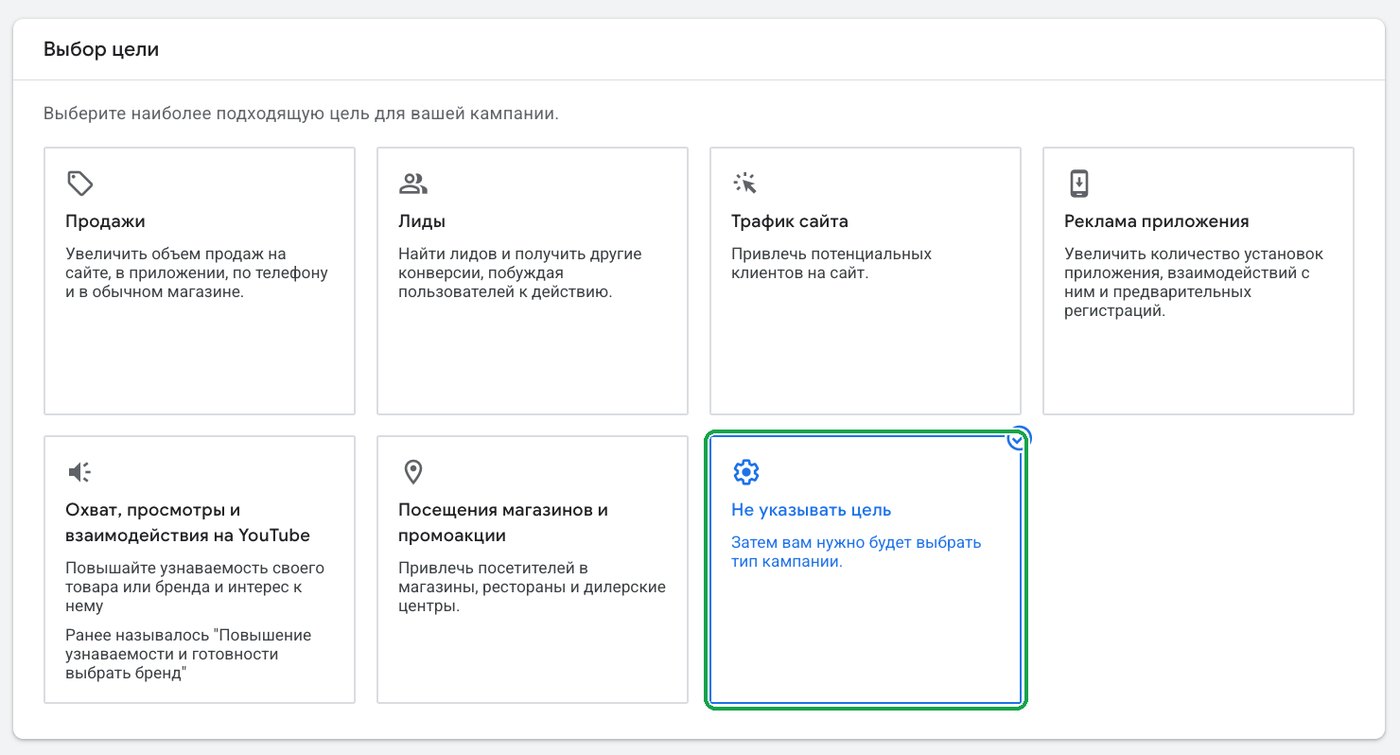
In the account, click “Create” and then “Campaign.” For the objective, choose Create a campaign without a goal’s guidance: that way Google doesn’t fill in preset settings, and we set each one ourselves.
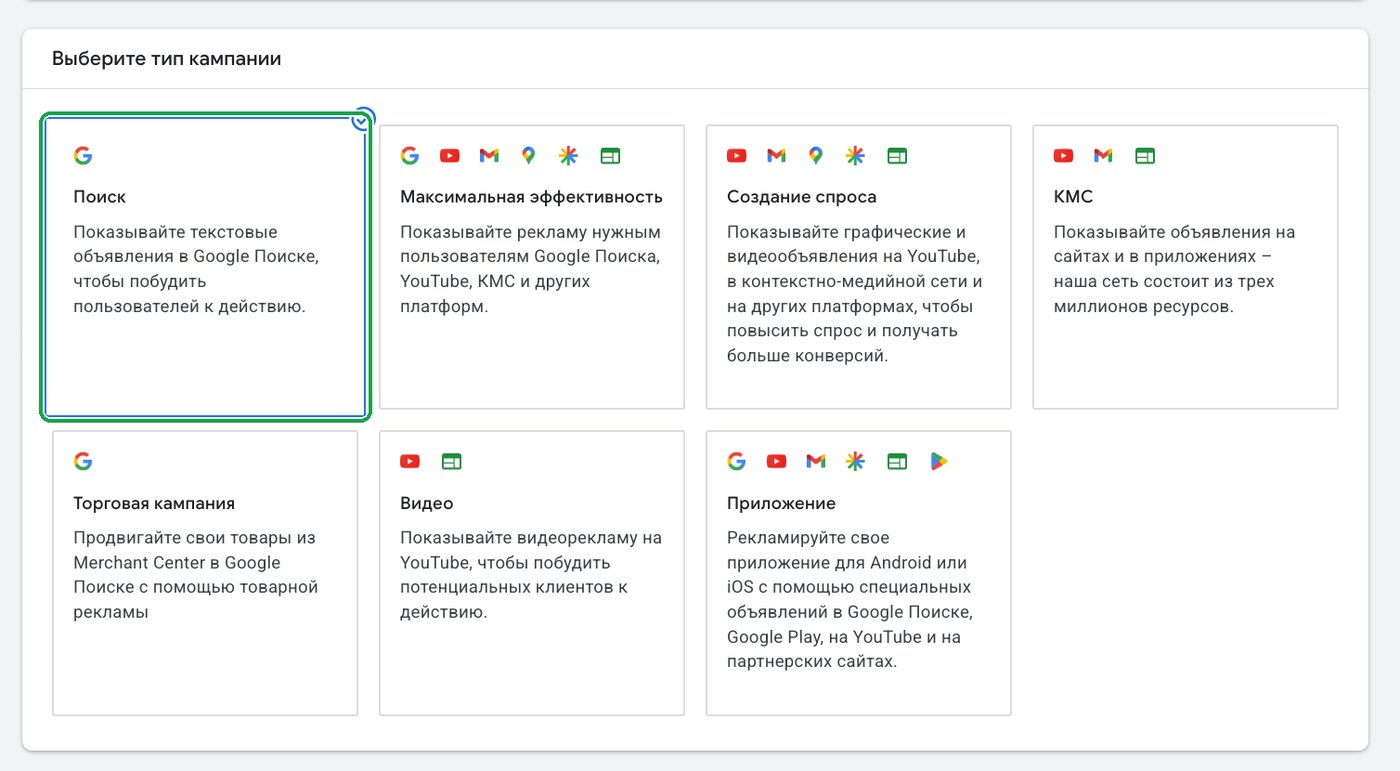
Campaign type: Search. The ads show to people who are actively searching for a children’s dentist.
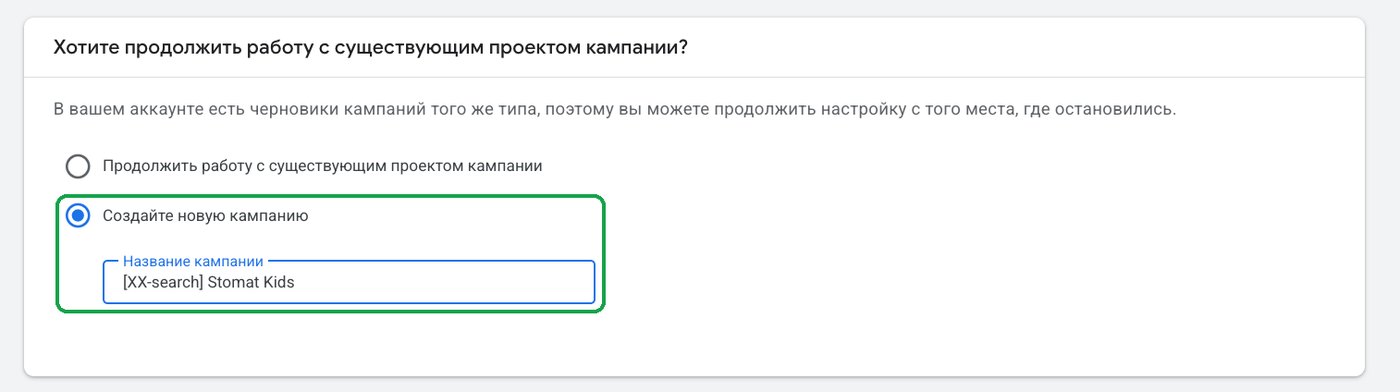
If there are drafts left in the account, Google will offer to continue one of them. We choose to start a new campaign and enter a name. The name should show the campaign type and treatment area at a glance.
Step 2. Conversion goal and landing page
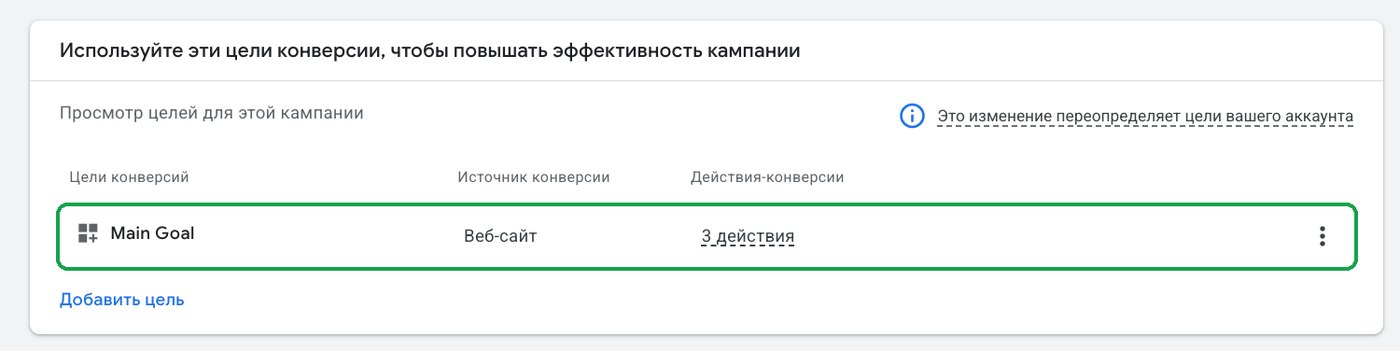
Main Goal was set up earlier to combine three actions on the website. These are what Google will count as the result of the ads.
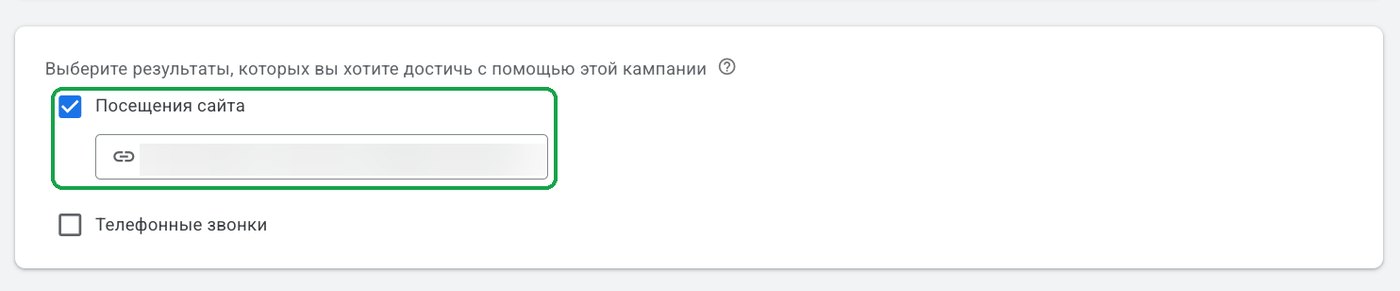
We check “Website visits” and paste in the address of the pediatric dentistry page. Not the homepage, but the one made for this treatment area.
Step 3. Bid strategy
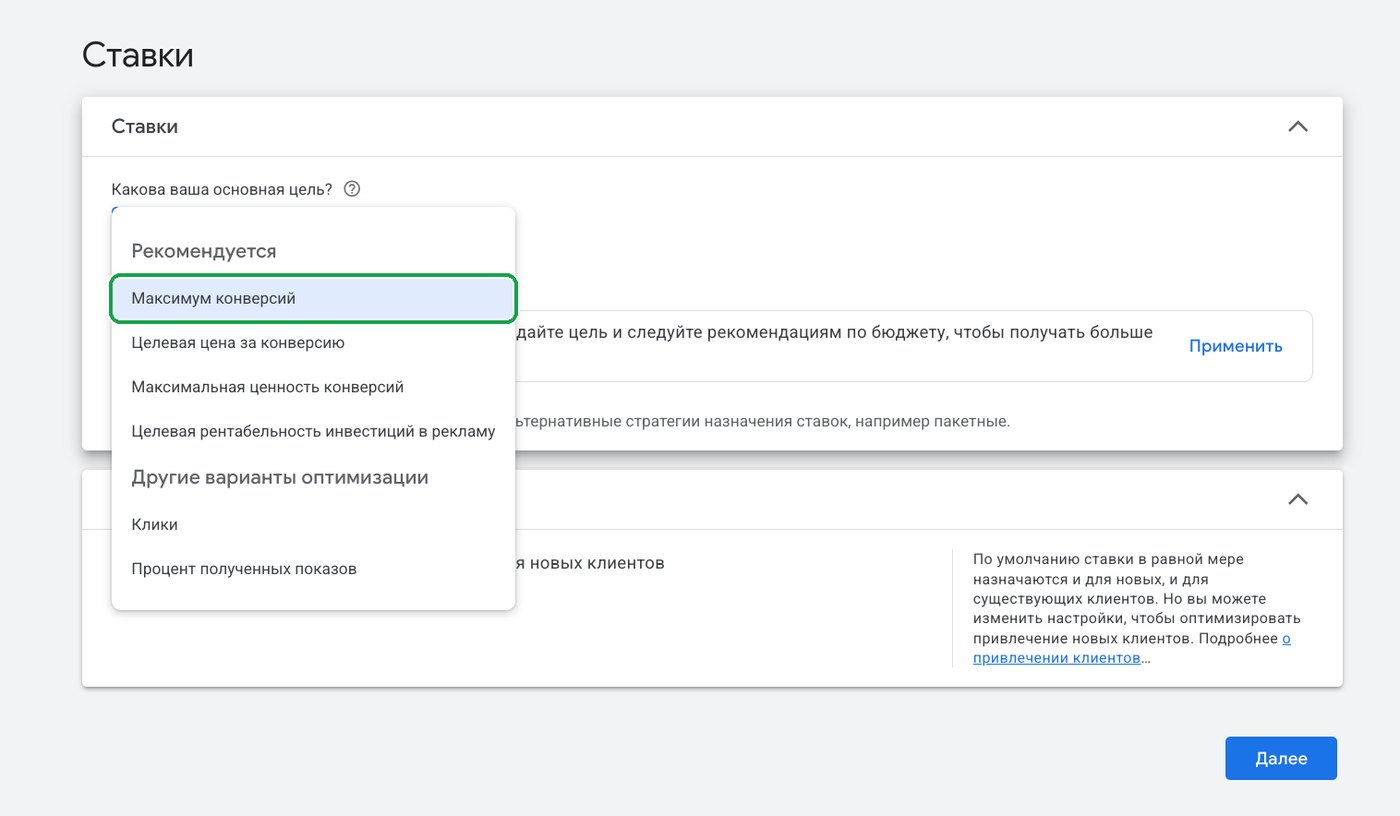
From the list, choose Maximize conversions: Google tries to get as many inquiries as possible within the budget.
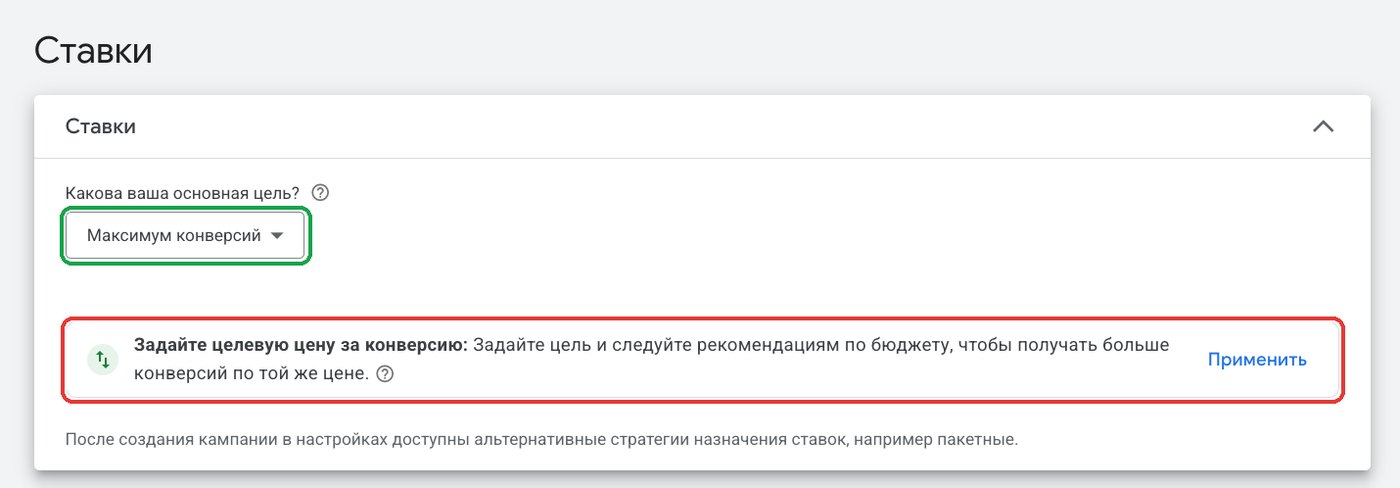
Right below, Google suggests setting a target cost per action. We don’t use this suggestion at the start: a new campaign has no data yet, and a fixed target will only limit your impressions.
Step 4. Networks: Google Search only
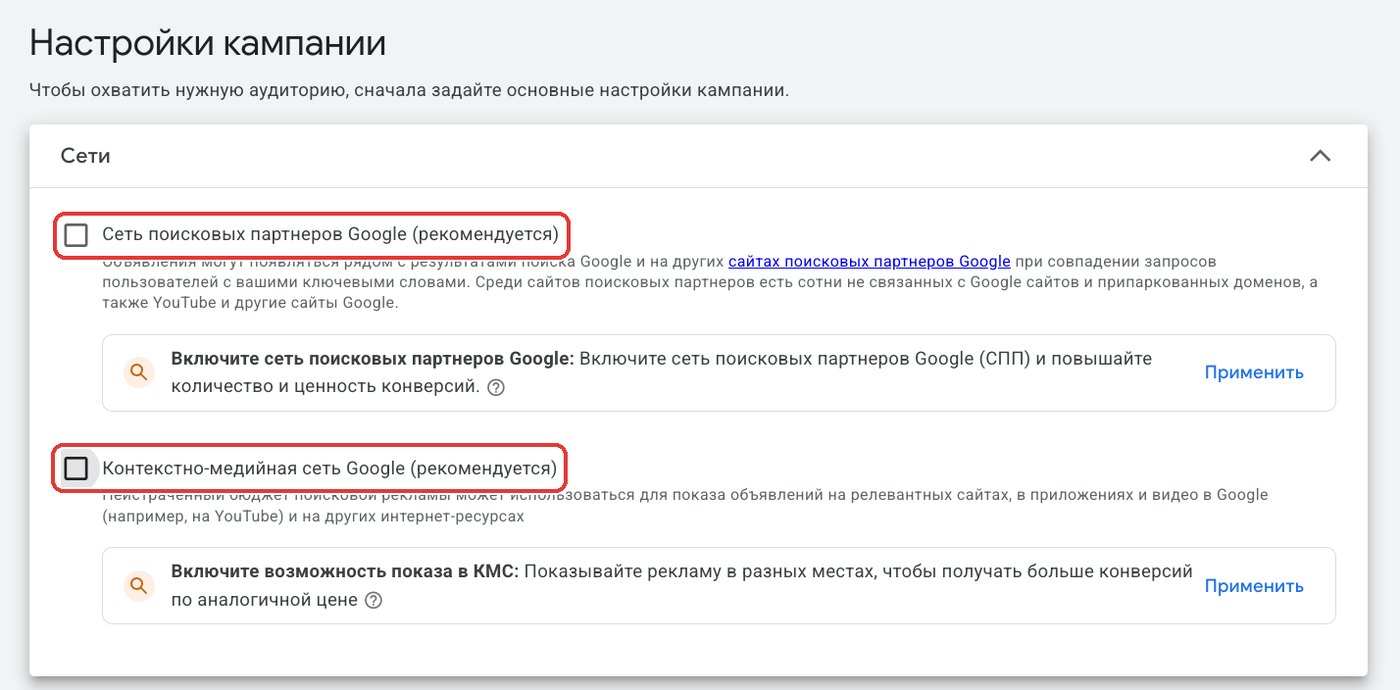
Uncheck both boxes that Google marks as recommended: Google search partners and the Display Network. Your ads will then show only on Google Search, and your budget won’t go to other people’s websites. More on this in the article on Google Ads.
Step 5. Locations and languages
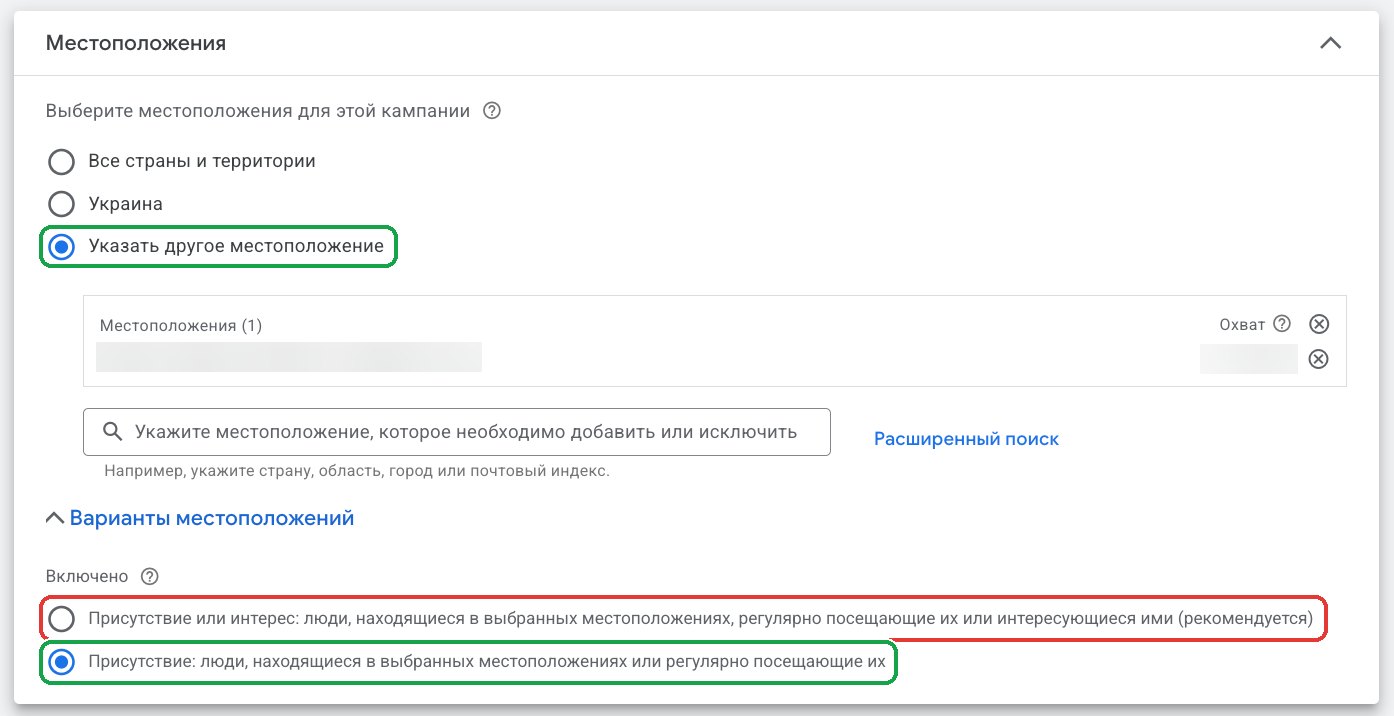
Choose “Enter another location” and add the clinic’s city. Then open Location options, and here is an important setting that’s often missed. By default, Presence or interest is selected: your ads also show to people who are only interested in your city, even if they’re in another country. Switch it to Presence: impressions only for people who are in the city or regularly there.
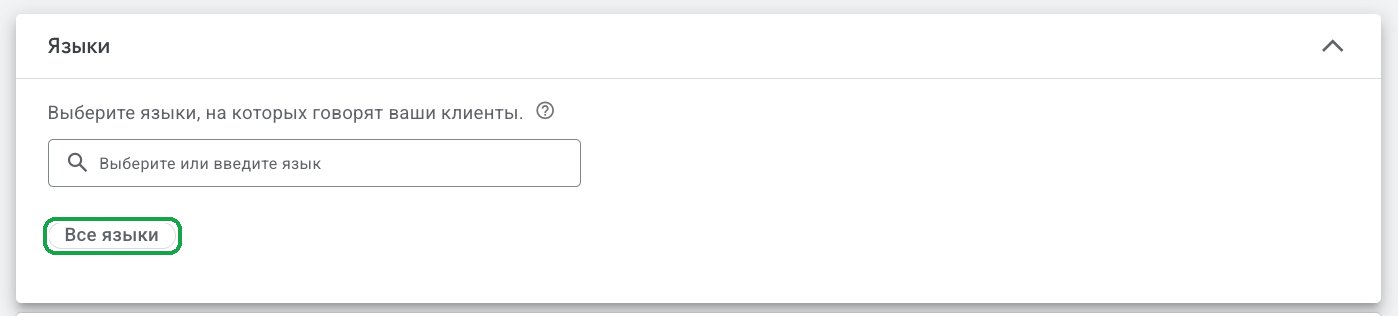
We leave all languages on: people use their phones in different languages, but they look for a clinic in the same city.
Step 6. Ad schedule
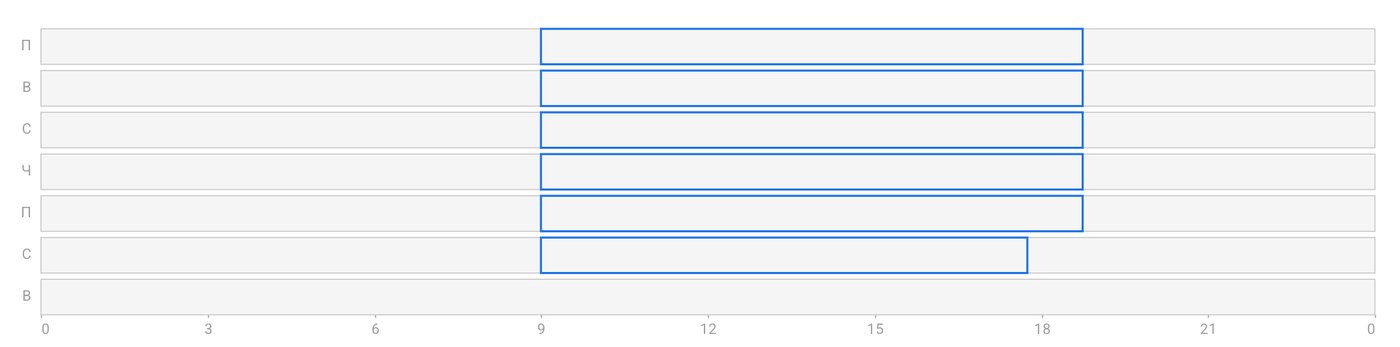
The ads run during the hours when the front desk is in and can reply. Impressions stop a little before the end of the working day, so the last inquiry still reaches the front desk in time. Why this matters is covered in the article on inquiry response time.
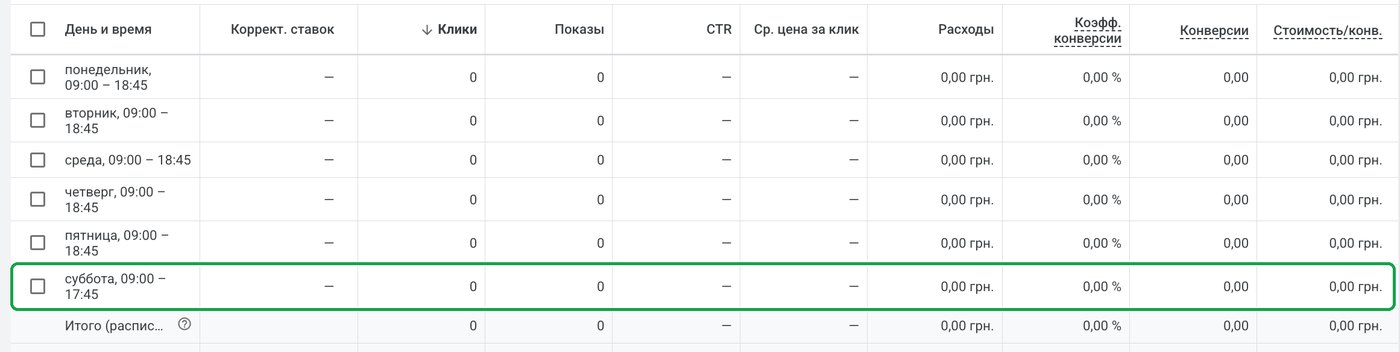
This is where I made a mistake myself. When creating the campaign, I set up two rows: “Mondays – Fridays” and “All days.” The days overlapped, and with that schedule the campaign didn’t launch.
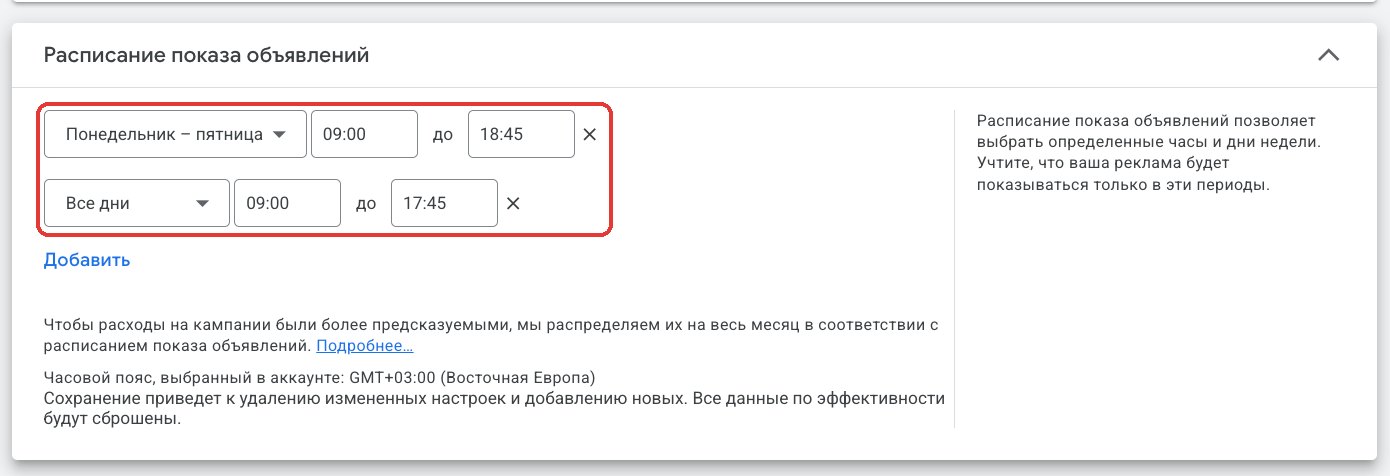
After launch, I fixed the schedule: instead of “All days,” I chose Saturday. Now the ads run from 9 a.m. to 6:45 p.m. Monday through Friday, from 9 a.m. to 5:45 p.m. on Saturday, and not at all on Sunday.
Step 7. Turn off AI Max
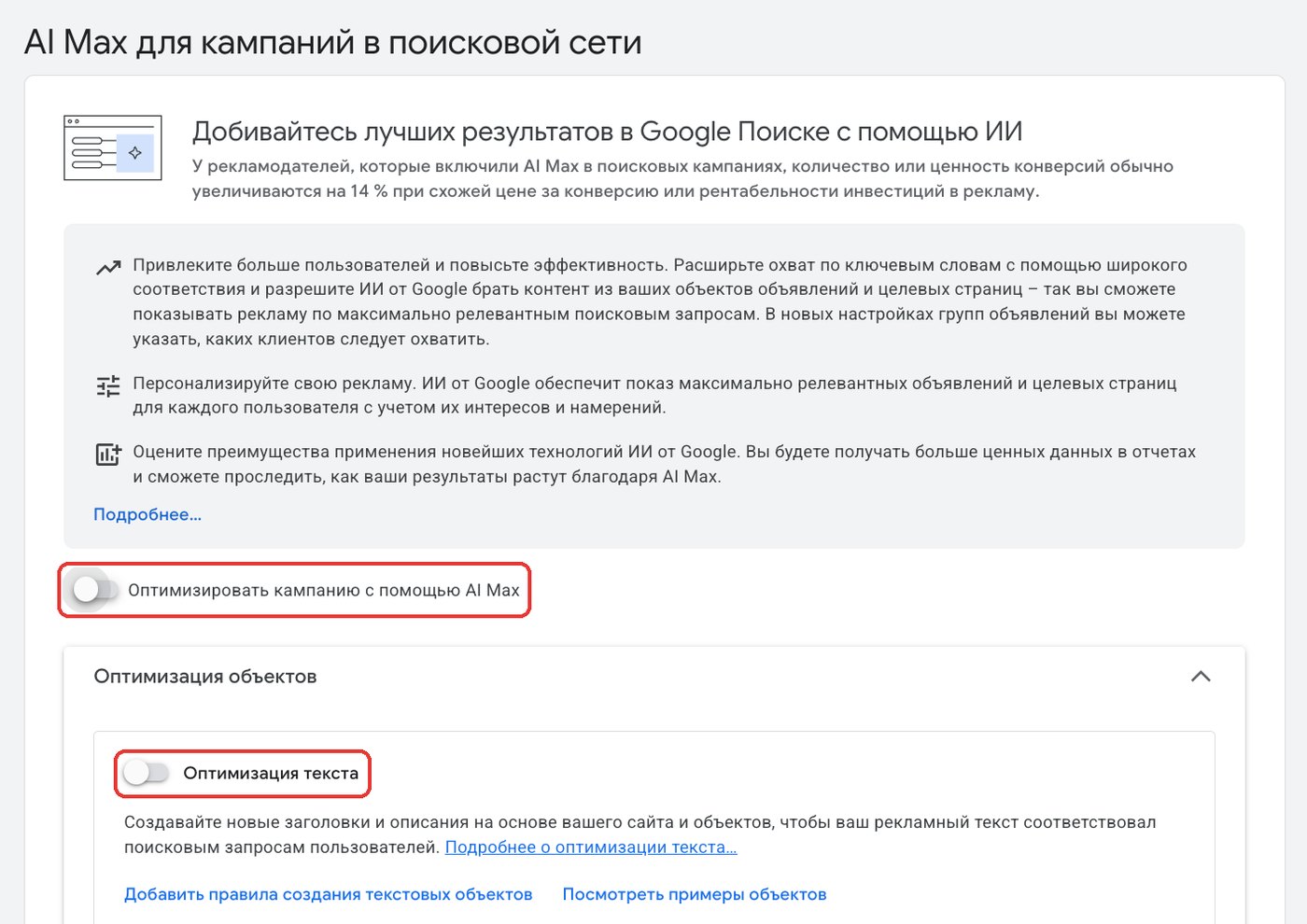
Next, Google offers AI Max. It expands your reach by matching keywords broadly, and it writes new headlines on its own based on the text on your website. We turn off both toggles: Optimize campaign with AI Max and Text customization. We decide which searches to show up for and what to say in the ad.
Step 8. Keywords: phrase or exact match only
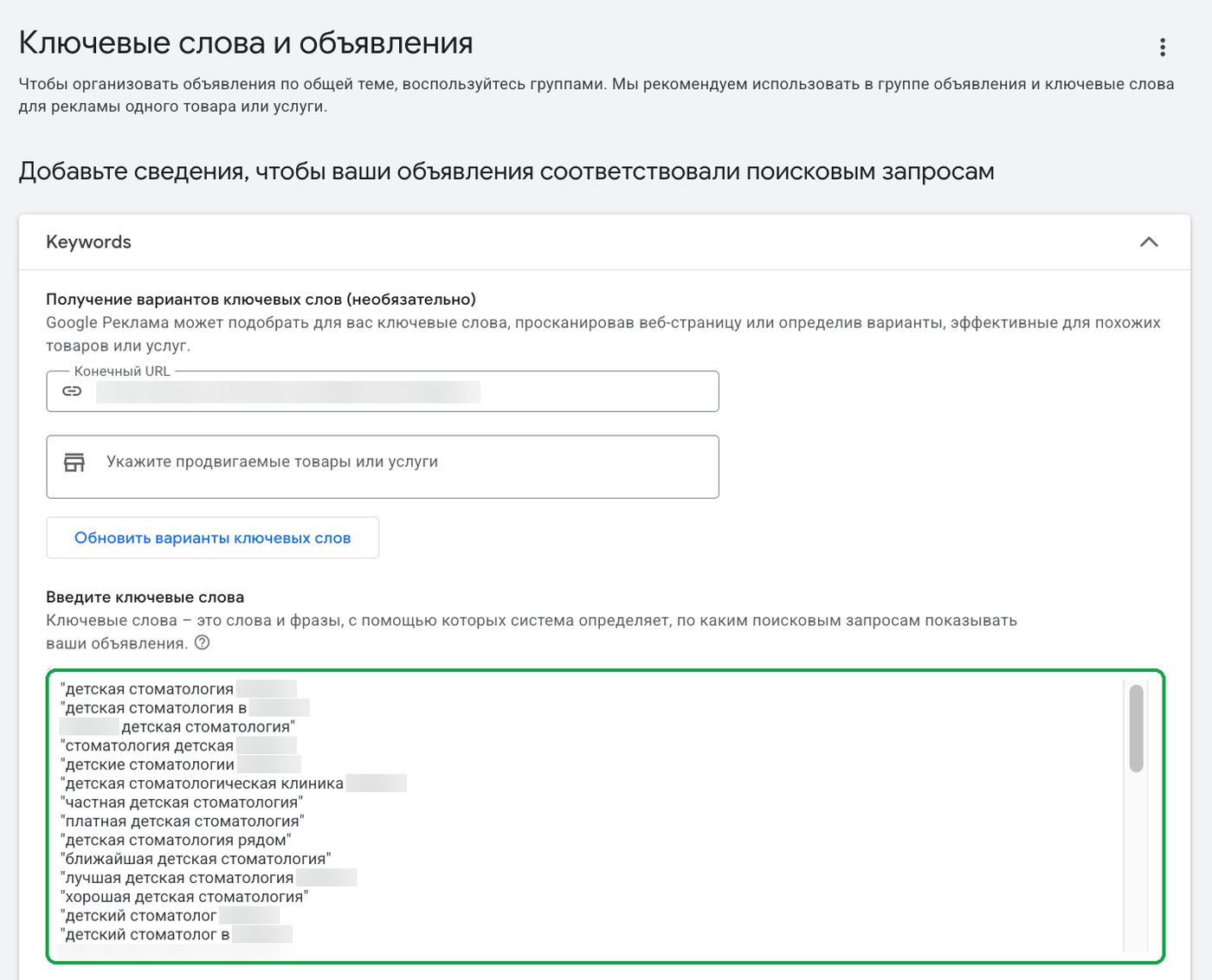
Paste in the whole list, with each keyword in quotation marks. In quotation marks, a keyword works as phrase match; in square brackets, as exact match. I don’t use broad match (a keyword with no symbols): Google decides on its own which searches are similar to the keyword and shows your ad to people who aren’t looking for treatment at all.
Here’s the difference on one keyword, “pediatric dentistry.” Switch the match type:
pediatric dentistry"pediatric dentistry"[pediatric dentistry]
- pediatric dentistry
- pediatric dentistry near me
- pediatric dentistry prices
- pediatric dentistry jobs
- child psychologist
- toy dentist kit
The ad shows for of 6 searches
Google decides on its own what’s similar to the keyword. You get lots of impressions, but some of the clicks you pay for are wasted.
The search includes the keyword’s meaning, with any words before or after it. The negative keyword list filters out the “jobs” search.
The search has the same meaning as the keyword. You get the fewest impressions, but the most relevant ones.
The demo plays on its own. Click a match type to choose it yourself.Step 9. The ad
Final URL: the same pediatric dentistry page. In the display path, we enter “Pediatric / Dentistry”: these words appear in the web address line, after your domain, instead of a long address. On the right, Google shows how the ad will look on a phone, and at the top, it shows the Ad strength rating. We aim for at least “Good.”
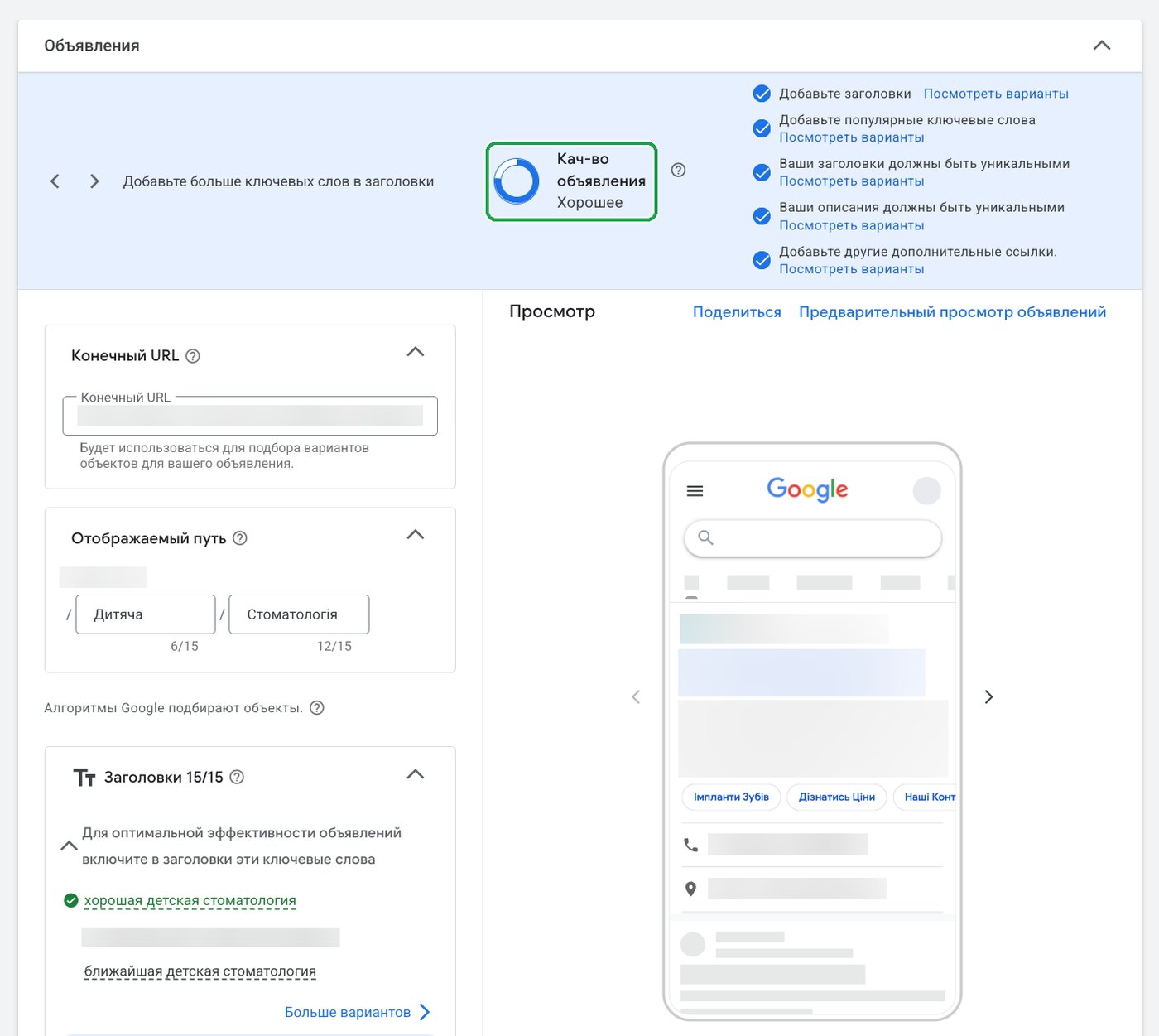
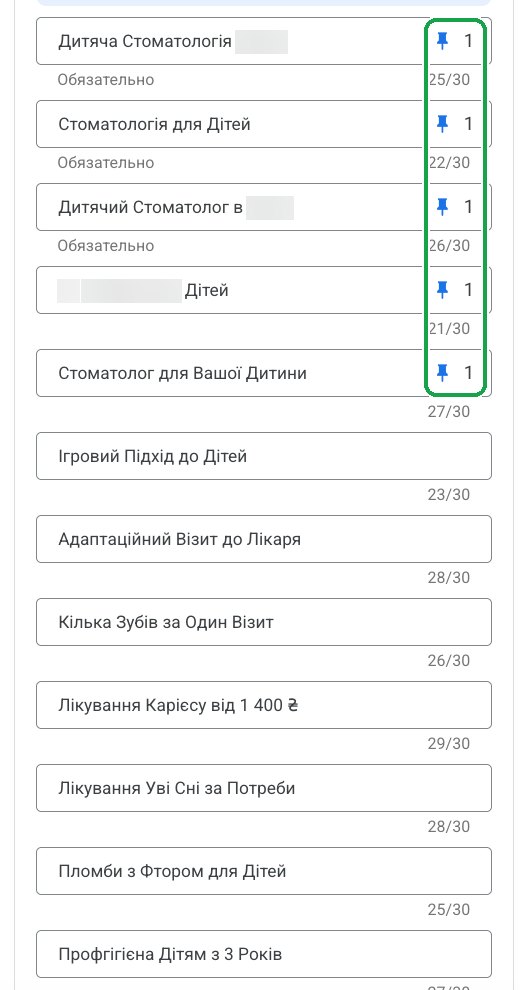
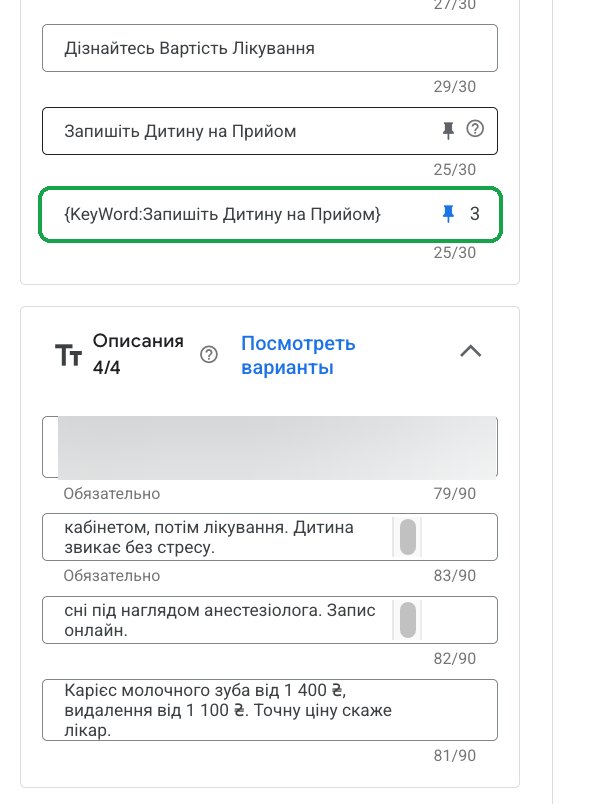
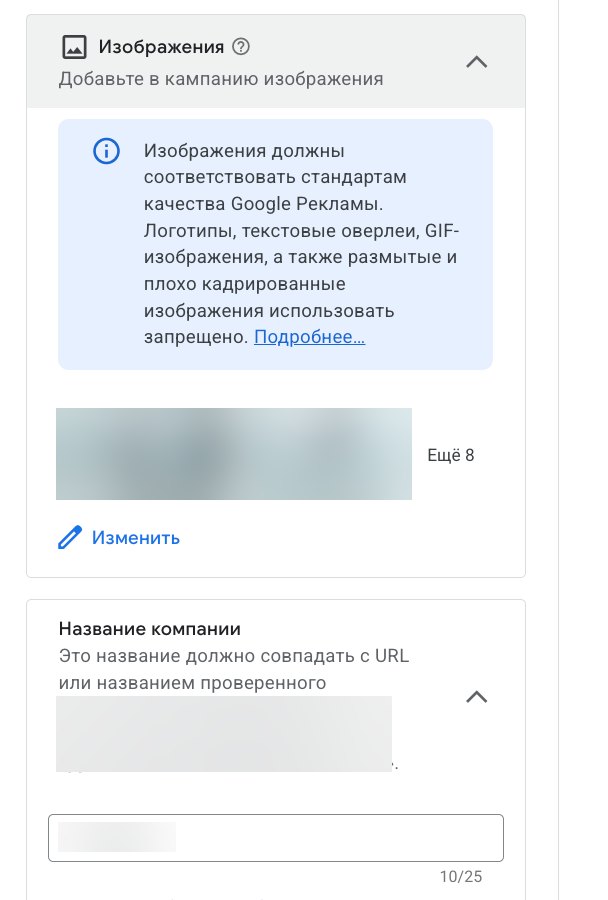
Next come 15 headlines and 4 descriptions. Five headlines are pinned to position 1: whatever version Google puts together, it always starts with pediatric dentistry or a children’s dentist. One headline uses keyword insertion, {KeyWord:…}: Google will insert the person’s search into it if it fits within 30 characters. Below are the clinic’s images, business name, and logo.
In Poland, ad copy has to stay informational: no discounts, no “best,” and no promises of results. Check the rules where you practice. For Poland, this is covered in the article on whether a dentist can advertise.
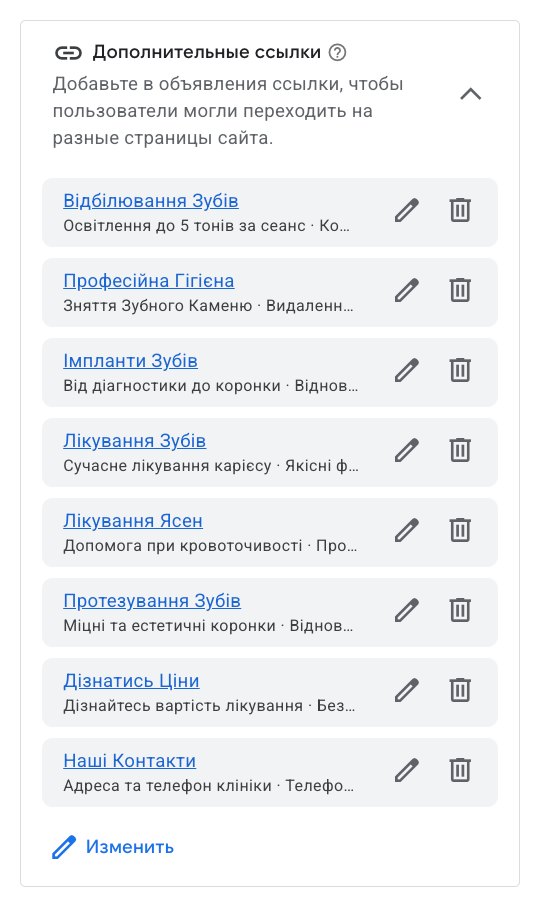
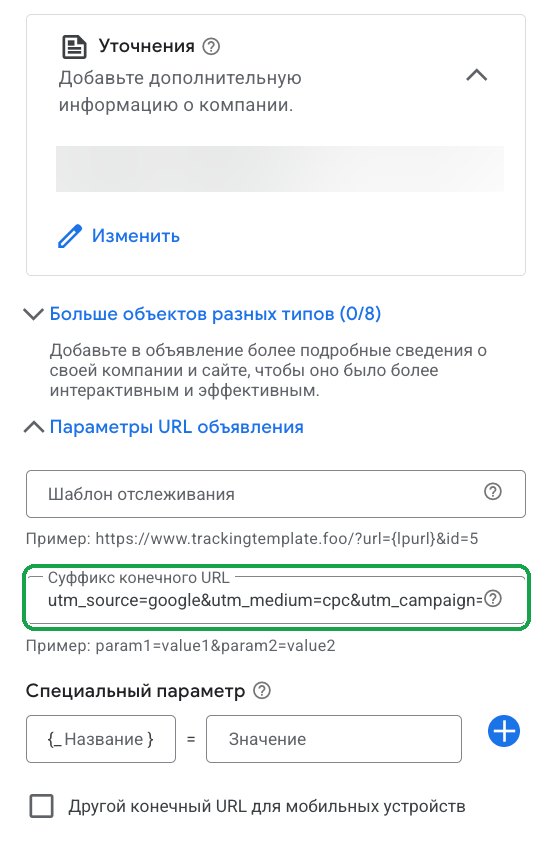
Sitelinks lead to other treatments and the price list. Callouts list the addresses and business hours. The final URL suffix contains UTM tags, so analytics shows which campaign a visitor came from.
Step 10. Budget and publishing
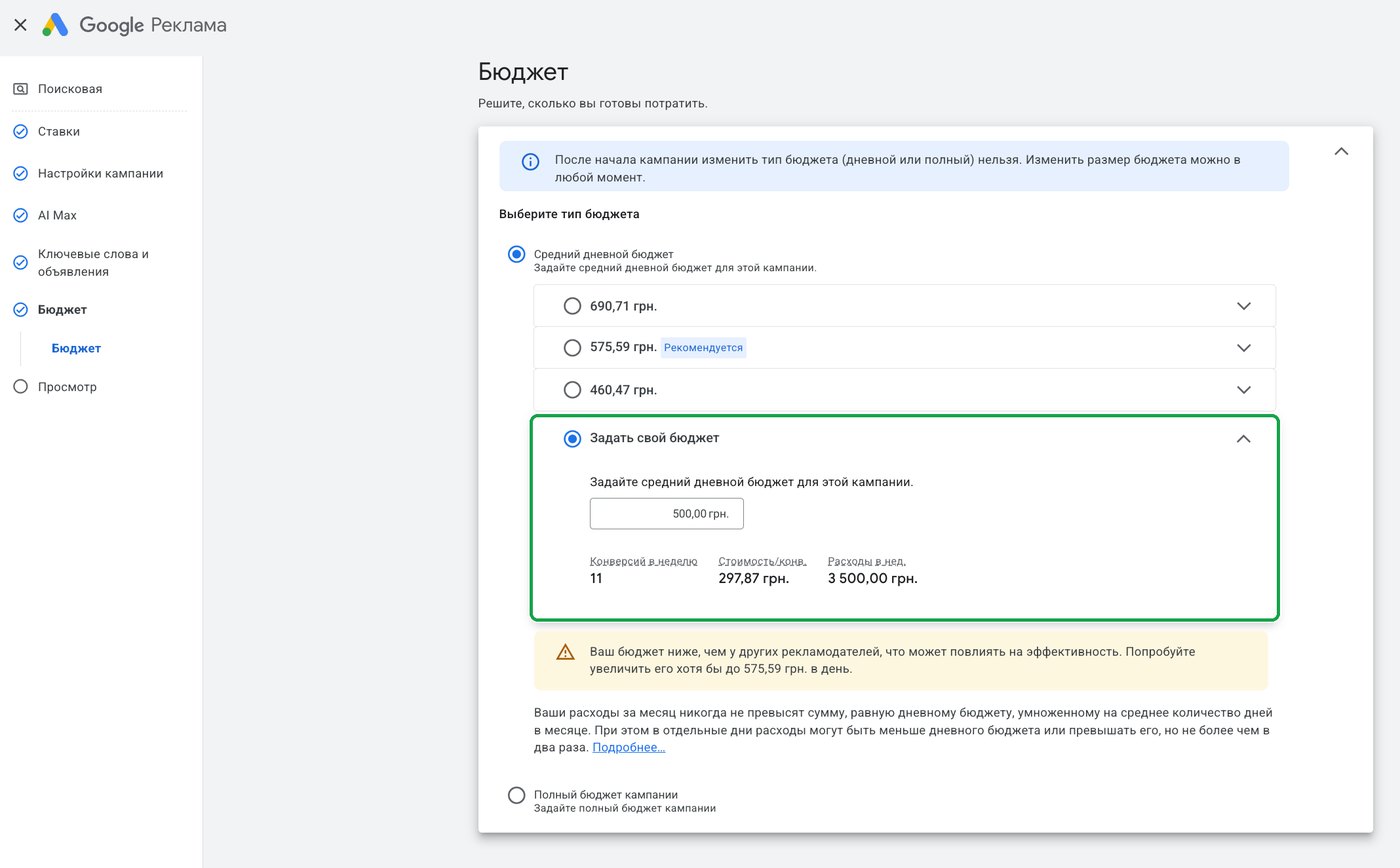
Google suggests three amounts. We set our own: an average daily budget of $11. The budget type (daily or for the whole campaign) can’t be changed after launch, but the amount can be changed at any time. The forecast under the amount (11 conversions a week at $7 each) is Google’s estimate, not a promise of results. A warning that your budget is lower than other advertisers’ is no reason to raise it at the start.
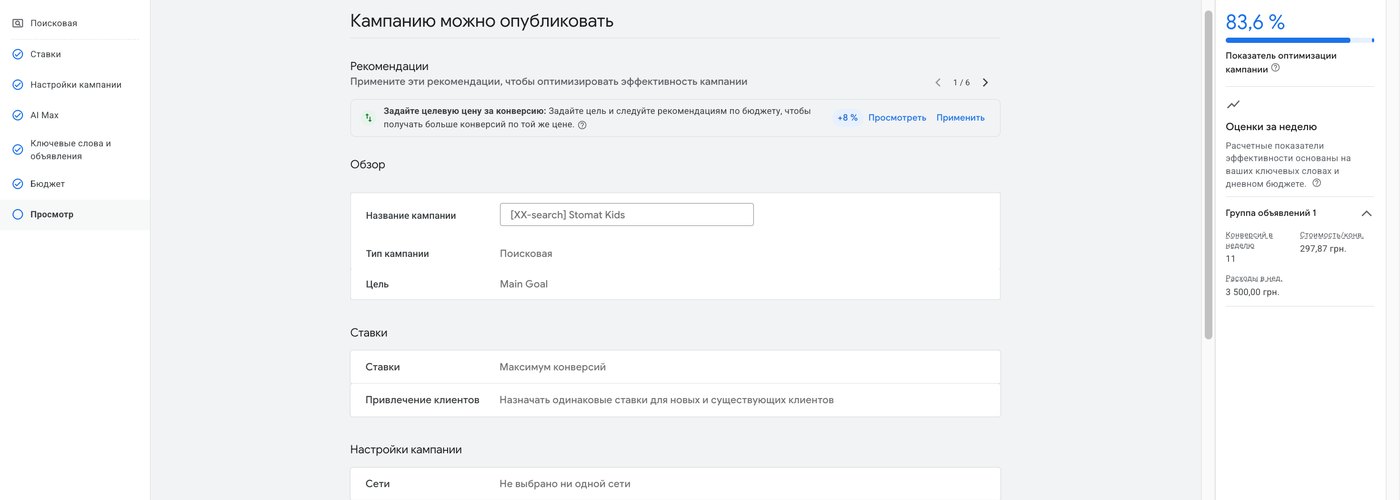
The last screen is a summary of all the settings. We review it and publish. The optimization score on the right doesn’t have to be 100%: in its recommendations, Google again suggests a target CPA and other items we turned down above.
Step 11. Apply negative keyword lists
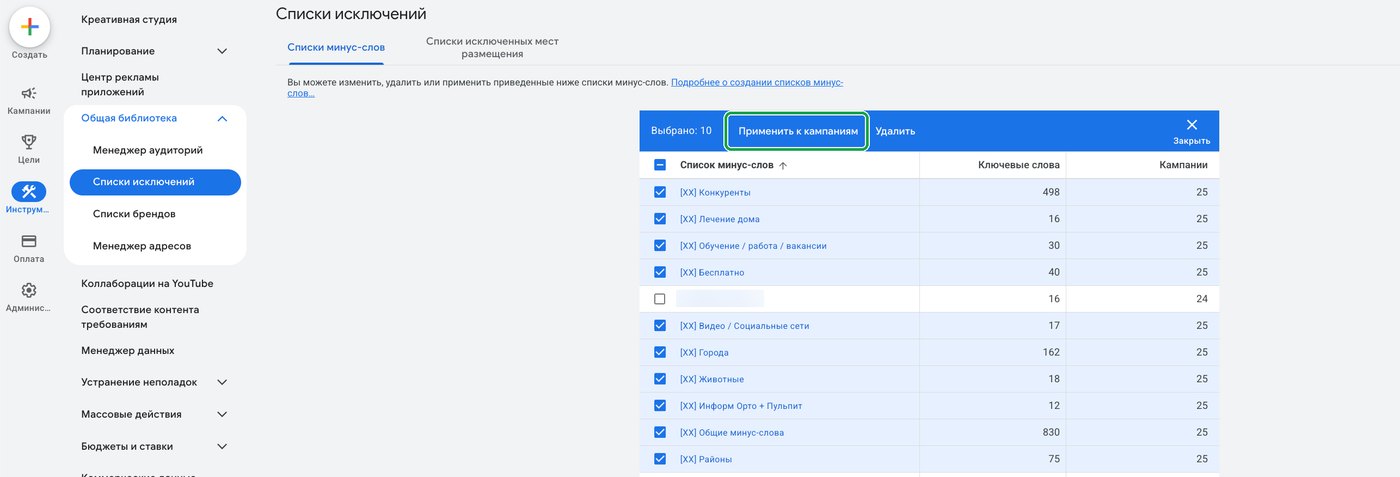
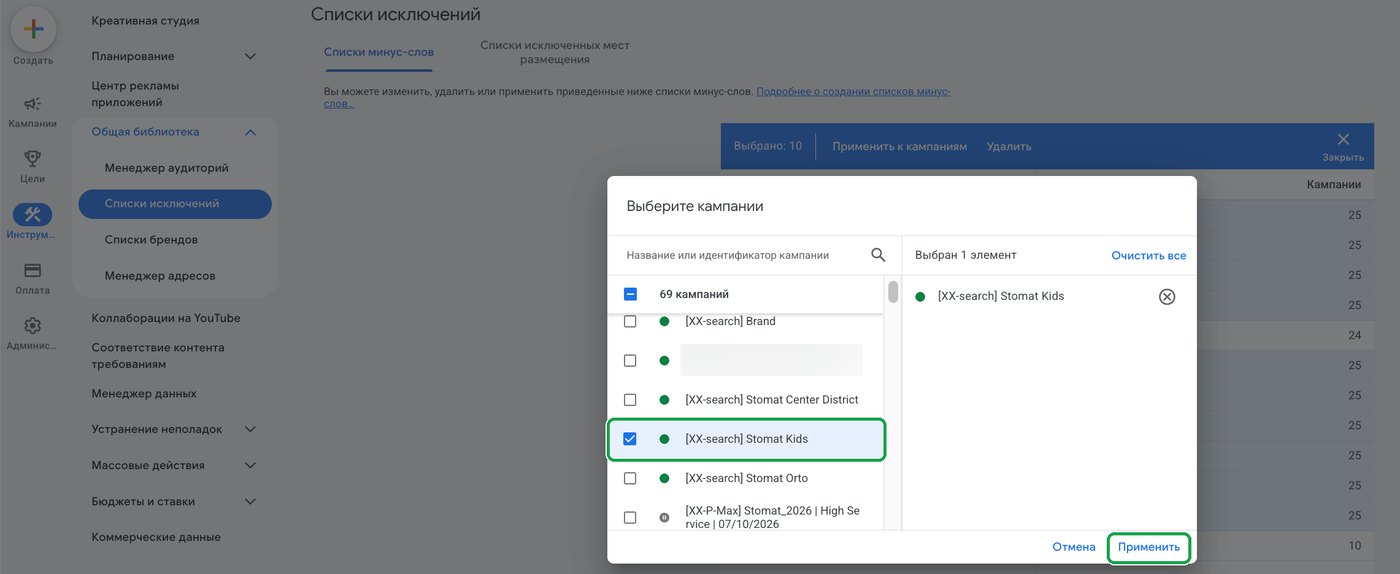
I prepared them earlier. They’re under “Tools,” then “Shared library,” then “Exclusion lists.” Competitors, jobs and training, “free,” home remedies, other cities and neighborhoods, and so on. Check the lists you need, click “Apply to campaigns,” and choose the new campaign.
Check your campaign
Here’s what Google suggests by default and how I set it up. Click each setting to switch it:
Same as mine: of 8
Every setting left “the way Google suggests” widens your reach, including to people who aren’t looking for your clinic.
This is how I launch a Search campaign for a clinic.
The result: 1 campaign, 4 ad groups, 4 ads
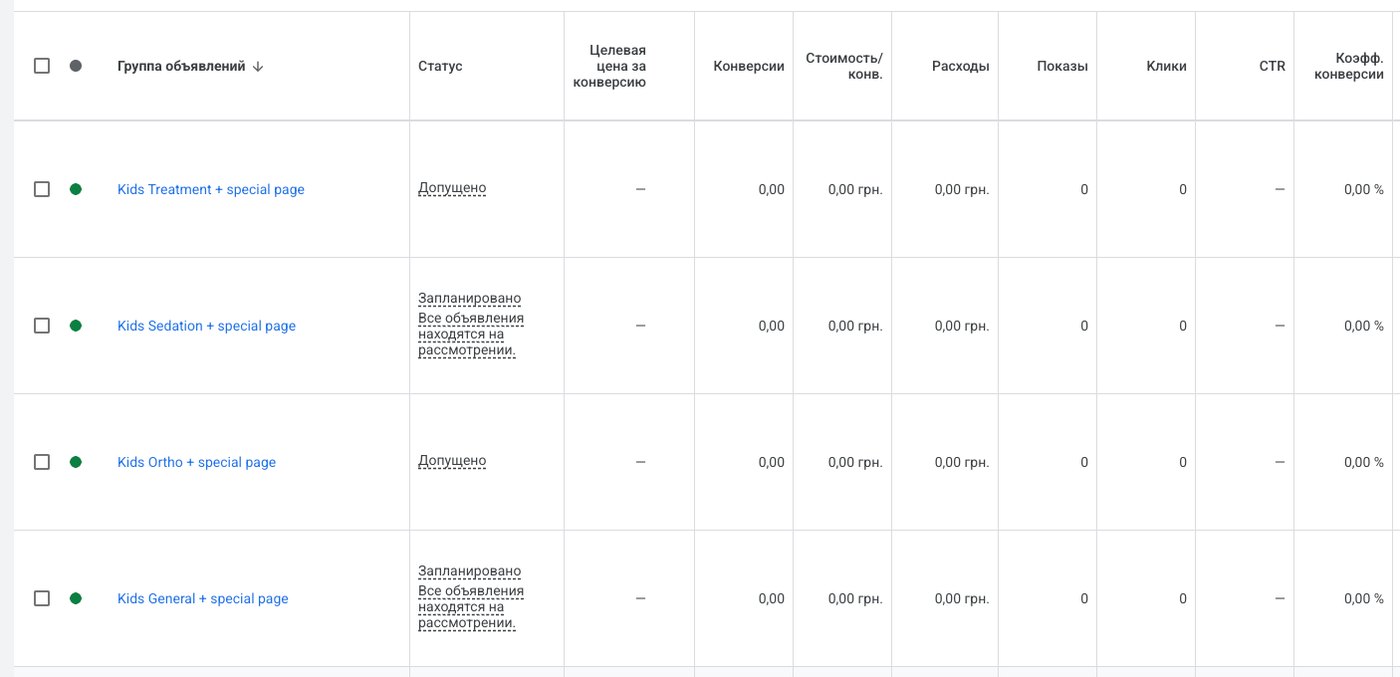
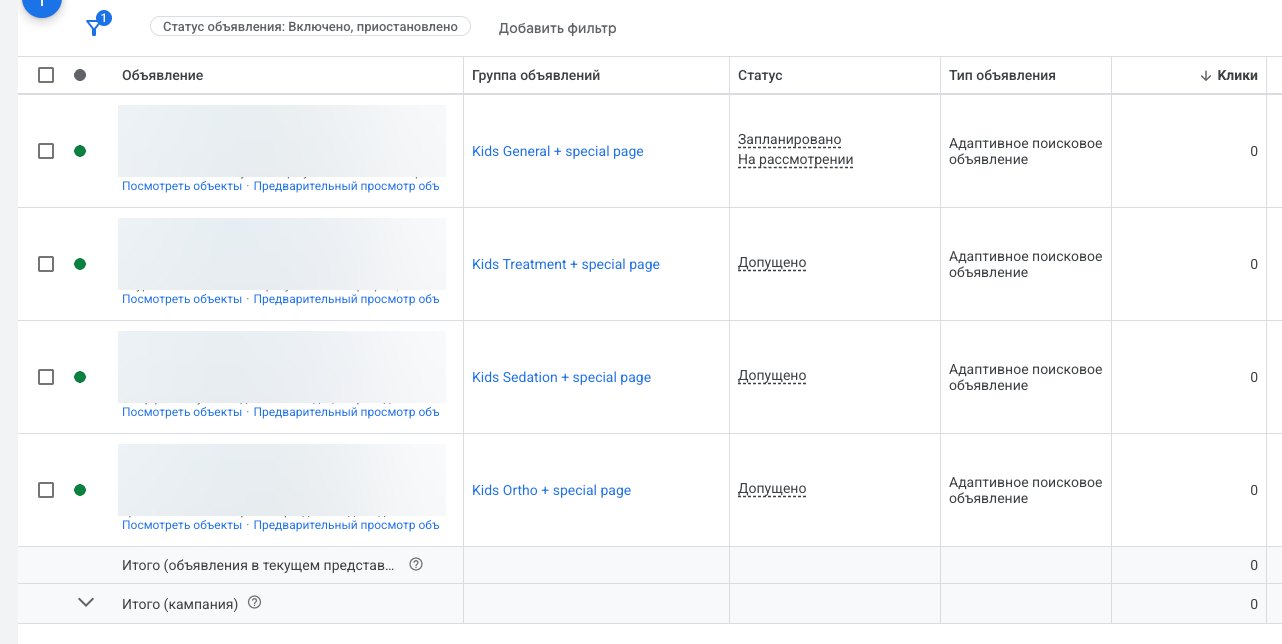
After publishing, I finished building the campaign. I copied the ad group, paused the existing keywords in the copy and added new ones, then changed the ad’s headlines and descriptions to fit the new topic. To keep the article short, I won’t walk through these steps. The result is four ad groups: pediatric dentistry in general, baby teeth treatment, treatment under sedation, and orthodontics for children. Each has one ad and enough keywords.
- "pediatric dentistry"
- "kids dentist"
- "private pediatric dentist"
- "baby teeth treatment"
- "cavity treatment for kids"
- "filling in a baby tooth"
- "sleep dentistry for kids"
- "sedation dentistry for children"
- "child dental treatment under general anesthesia"
- "pediatric orthodontist"
- "braces for kids"
- "bite problems in children"
Pediatric Dentistry · Book OnlineWe treat baby and permanent teeth. The first visit is just to get comfortable.
Baby Teeth Treatment · Stress-FreeCavities and pulp inflammation in baby teeth. Fluoride-releasing fillings.
Kids’ Dental Treatment While AsleepYour child sleeps calmly while the dentist treats several teeth in one visit.
Pediatric Orthodontist · Braces and AlignersWe correct bite problems in children and teens.
Pediatric dentistryall children’s treatments and prices
Baby teeth treatmentcavities, pulp inflammation, fillings
Treatment under sedationsedation supervised by an anesthesiologist
Pediatric orthodonticsbraces, aligners, removable appliances
I stopped using the “1 campaign, 1 ad group, 1 keyword” method long ago: today it works worse than a structure like this one. Instead, each group of queries gets its own landing page, so the search, the ad, and the page all talk about the same thing. Why this matters is covered in “One page, one offer”.
Next: review and inquiries
All that’s left is to pass review. The screenshot shows that some ads are already approved and some are still being checked. This usually takes up to 24 hours, and then impressions and the first inquiries begin.
The ads are responsible for the number of inquiries, and whether the patient books depends on the person who handles the inquiry. That’s covered in the article on the front desk and the patient coordinator. To estimate what a new patient from ads might cost for your treatment, use the patient acquisition cost calculator.
A free 15-minute call: we’ll figure out which treatment areas to start with and how many ad groups your budget needs.
What this article is based on
- The author’s experience: over 6 years of bringing in patients for dental clinics, currently working with 16 clinics in Ukraine and other European countries.
- Screenshots: the Google Ads account of a clinic in Ukraine managed by the author, a Search campaign for pediatric dentistry, launched on October 20, 2026. The city, address, website, phone number, clinic name, images, and ad text in the list are hidden. The interface is in Russian.
- 11 conversions a week at $7 each: the Google Ads forecast on the settings screen for a budget of $11 a day, not the campaign’s result. In the screenshot, the amounts are in hryvnias (UAH 500 a day, UAH 297.87 per conversion); converted at the official National Bank of Ukraine rate on November 10, 2026 ($1 = UAH 45.4123) and rounded.
- Match type block: a simplified example that shows the principle. Google decides which searches fall under broad match.
- Block with four ad groups: the searches and ad text are translated and simplified; the real ads are written in Ukrainian.
- Review within 24 hours: the author’s experience. Google says most ads are reviewed within one business day.
Frequently asked questions
Can I launch Google Ads without Google Ads Editor?
Yes. Everything shown in this article was done in a regular ad account in the browser. Editor is useful when you need to change many campaigns at once.
Which keyword match type should a dental clinic use?
Phrase or exact match. With broad match, Google decides on its own which searches are similar to the keyword, and part of your budget goes to people who aren’t looking for treatment.
Should a clinic turn on AI Max in a Search campaign?
Not at the start. AI Max expands your reach through broad matching and rewrites headlines on its own, while at launch it’s important to stay in control of both the searches and the ad text.
Which location option should I choose: “Presence” or “Presence or interest”?
“Presence.” Then your ads show to people who are in the clinic’s city or regularly there, not to everyone who’s interested in it.
How many ad groups does a campaign need?
As many as you have separate treatment areas with their own landing page. In the example, there’s one pediatric dentistry campaign with four ad groups, each with its own ad and its own landing page.
Strategy session for dental clinic owners
We’ll go through your clinic using your own numbers: where patients come from, how much you can pay for one, and how many months it takes for ads to pay off. You’ll leave with a plan and a recording of the call.
Book a sessionRun the numbers for your clinic


